
iPhone users in India represent a premium, high-spending audience — metro professionals, business owners and international travellers who expect polished, fast and intuitive apps. A poorly built iOS app gets one-star reviews and gets deleted within 24 hours. At Chulbul Design, our iOS app development service builds native apps in Swift using SwiftUI and UIKit, following Apple's Human Interface Guidelines precisely — so your app feels right to iPhone users, not like an Android app ported over. We handle the full App Store submission process, including the increasingly strict App Store review — and we know what reviewers reject and why, which is why our apps get approved on the first submission.
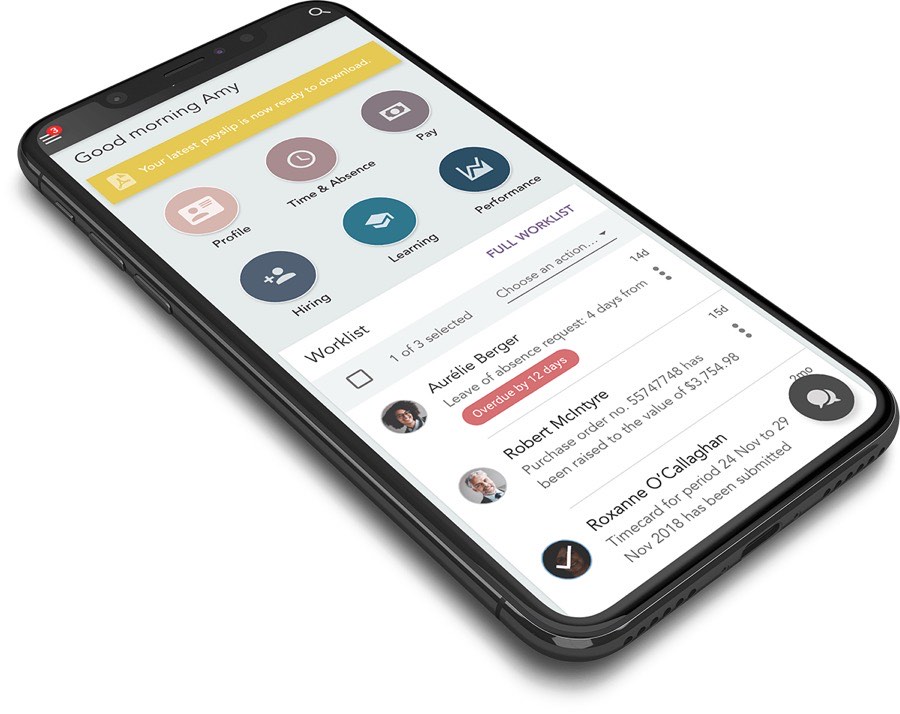
Native Swift — Looks & Feels Like a Proper iOS App
iPhone users have high standards for how apps look and behave. They notice when transitions are wrong, when fonts do not respect iOS dynamic type settings, when buttons are placed where iOS expects navigation elements or when an app ignores Dark Mode. These are not cosmetic issues — they are signals to the user that the app was not built for iOS. Native Swift development with SwiftUI components gives you the animations, gestures and system integrations (Face ID, Apple Pay, Sign in with Apple, Siri shortcuts) that iOS users expect as standard. We also implement StoreKit for in-app purchases if your business model includes subscriptions or premium features — correctly, so Apple's review team approves without delay.<br><em>A Bengaluru fintech company: App Store rating went from 2.9 to 4.7 after rebuilding from a React Native port to native Swift.</em>
- Native Swift + SwiftUI — not a React Native port
- Face ID, Apple Pay, Sign in with Apple
- Dark Mode, Dynamic Type, Accessibility
- StoreKit for subscriptions & in-app purchases
App Store Approval — First Time, Every Time
App Store rejections cost time and delay your launch. Apple rejects apps for privacy permission descriptions that are vague, for collecting data without a privacy policy, for using deprecated APIs, for UI that does not work on all supported screen sizes or for in-app purchase flows that bypass StoreKit. We have submitted over 50 iOS apps to the App Store and understand every common rejection reason. Before submission, we run a pre-submission checklist against all current App Store Review Guidelines, test on every supported screen size from iPhone SE to iPad Pro and verify all permission usage strings. When Apple does request information, we respond with precise technical answers that get apps approved without a full re-review cycle.<br><em>A Delhi health startup: App Store approval received in 4 days on first submission — no rejections.</em>
- Pre-submission compliance checklist run on every build
- Tested on iPhone SE, iPhone 15, iPad — all screen sizes
- Privacy policy + App Privacy labels correctly configured
- 50+ App Store submissions — zero repeated rejections
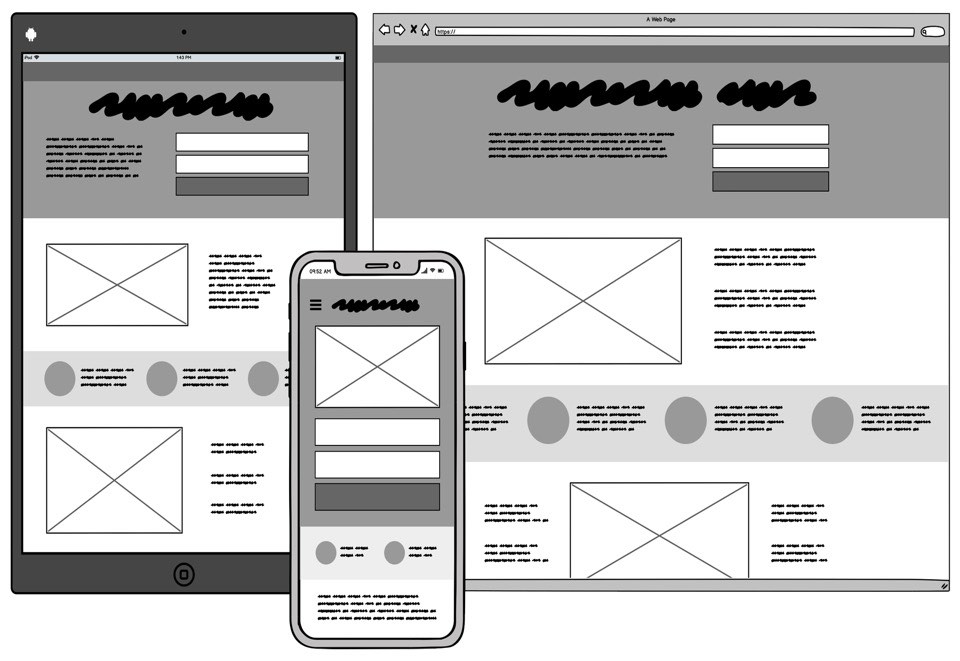
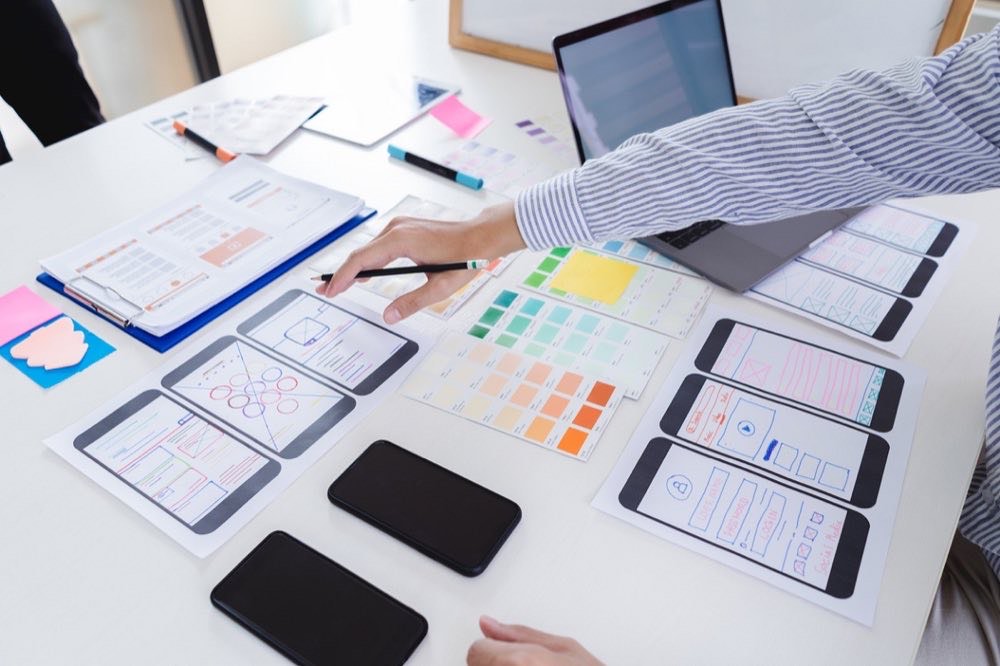
Premium UI/UX That Earns 5-Star Reviews
iPhone users leave reviews based on how the app feels to use — not just whether it works. An app that is functional but feels clunky, slow to respond or visually inconsistent earns 3-star reviews even when it does its job correctly. Our iOS UI/UX design process uses Figma with iOS design libraries to produce screens that look precisely how they will appear on-device. Micro-animations are specified and implemented — haptic feedback on form submissions, smooth tab transitions, pull-to-refresh with satisfying physics — because these details are what separates a 3-star app from a 5-star app. We prototype every onboarding flow and test it with real users before development begins to ensure new users understand the app without a tutorial.<br><em>A Hyderabad wellness app: average session duration increased from 1m 40s to 6m 12s after UX redesign — users actually engaged.</em>
- Figma prototype with iOS component library
- Haptic feedback, micro-animations, smooth transitions
- Onboarding flow user-tested before development
- App Store screenshots & preview video included
50+
iOS Apps Delivered
4.7★
Average App Store Rating
1st
Submission Approval Rate
10+
Years iOS Experience
iOS App Categories We Develop
From consumer apps to enterprise iPad tools — we build for the full iOS ecosystem.
Shopping & Ecommerce
UPI and Razorpay checkout, Apple Pay, wishlist, order tracking — built for iPhone users who expect speed and polish.
Health & Wellness
HealthKit integration, appointment booking, telemedicine video calls and prescription management — compliant with App Store health guidelines.
Edtech & Learning
Video courses, live classes, offline downloads and quiz engine — optimised for iPad as primary learning device.
Booking & Services
Appointment scheduling, service booking, real-time availability and push notification reminders — for clinics, gyms and professionals.
iPad Enterprise Tools
Custom iPad apps for field staff, retail POS, presentation tools and internal dashboards — optimised for the larger screen and Apple Pencil.
How We Build Your iOS App
Discovery
Target iOS user profile, device spread (iPhone SE to Pro Max), offline needs and App Store category research.
Wireframe & Proto
iOS-specific user flows in Figma with native components. Clickable prototype shared before any Swift is written.
UI Design
HIG-compliant screens, Dark Mode, Dynamic Type — every edge state designed including empty, loading and error.
Swift Development
Agile sprints, working TestFlight builds every 2 weeks. You test on real devices throughout development.
App Store Launch
Compliance pre-check, submission, App Store listing optimised. Crash monitoring live from day one via Crashlytics.
Related Services
More ways we can help your business grow
ERP Software Development
Custom ERP Software Development India | GST-Ready ERP System – Chulbul Design
SaaS Development
SaaS Application Development India | Build Your SaaS Product – Chulbul Design
Android App Development
Android App Development Company India | Native & React Native – Chulbul Design
CRM Development
Custom CRM Development India | Build Your Own CRM System – Chulbul Design
Ready to Grow Your
Business With Us?
Free consultation — tell us about your project and we'll get back within 1 hour.