
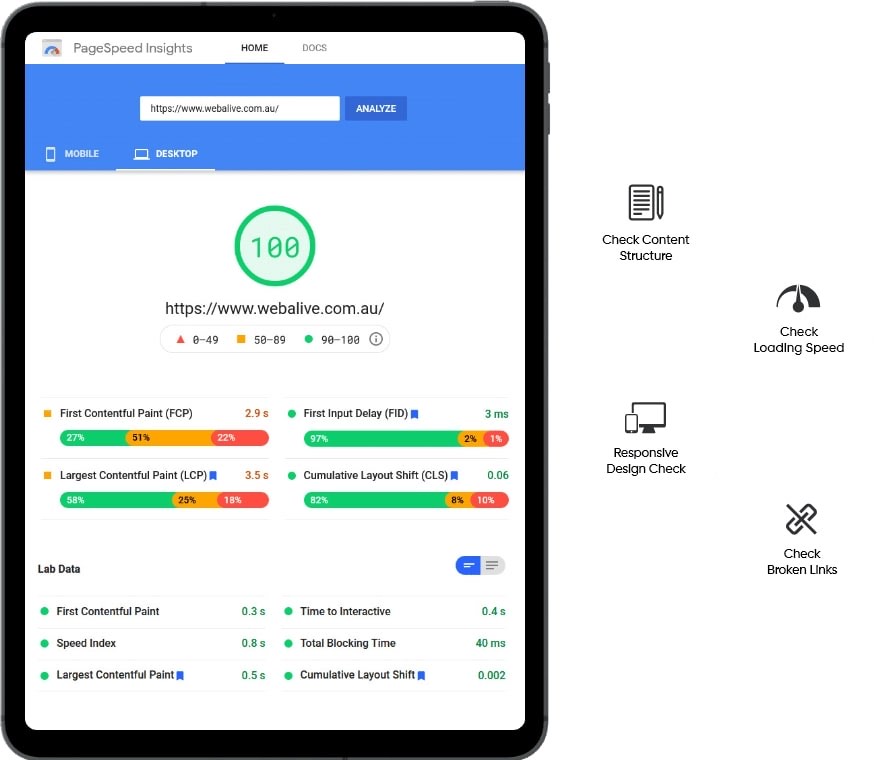
Google's Core Web Vitals — LCP (Largest Contentful Paint), INP (Interaction to Next Paint) and CLS (Cumulative Layout Shift) — measure real user experience and directly affect rankings since Google's Page Experience update. A website that fails Core Web Vitals loses ranking positions to competitors with passing scores, even when other SEO factors are equal. Most Indian websites fail on mobile, where LCP regularly exceeds 4 seconds, INP fails due to heavy JavaScript execution and CLS occurs from images without dimensions or ads that shift content on load. At Chulbul Design, we specialise in Core Web Vitals remediation — diagnosing the specific root cause of each failing metric and implementing targeted fixes that move the score from red to green in Google Search Console.
LCP Fix — Largest Contentful Paint Under 2.5 Seconds
LCP measures how long it takes for the largest visible element on the page — usually the hero image or a large heading — to fully render. Google's threshold for a "Good" LCP is under 2.5 seconds. Most Indian websites fail because the LCP element is an unoptimised image served from the origin server with no preload hint, no caching and no CDN. The fix requires multiple coordinated changes: identify the LCP element using Chrome DevTools or PageSpeed Insights, add a <link rel="preload"> hint in the HTML <head> so the browser discovers the image before parsing the full page, convert the image to WebP, serve from a CDN with Indian edge locations, eliminate render-blocking resources that delay the browser from painting the LCP element, and optimise TTFB (Time to First Byte) so the server responds fast.
- LCP element identified on every key page
- Preload hint added for hero image
- WebP + CDN serving from Indian edge nodes
- Render-blocking resources eliminated from critical path
- TTFB reduced via caching and server optimisation
INP Fix — Interaction to Next Paint Under 200ms
INP replaced FID (First Input Delay) in March 2024 and measures the responsiveness of the entire page — not just the first interaction. It captures the slowest interaction in a user session. Failing INP means your page feels sluggish — clicks, taps, form inputs and menu interactions are delayed. The root cause is almost always excessive JavaScript execution on the main thread: long tasks blocking the browser from responding to user input. Common culprits are unoptimised third-party scripts (chat widgets, analytics, marketing pixels), large React or Vue component re-renders, poorly optimised event handlers and blocking synchronous code. We profile JavaScript execution using Chrome DevTools Performance panel, identify long tasks, implement code splitting, defer non-critical scripts and optimise event handler efficiency.
- JavaScript long task profiling and elimination
- Third-party script deferral and facade loading
- Code splitting for large JS bundles
- Event handler optimisation — debouncing and passive listeners
- React/Vue component render optimisation where applicable

CLS Fix — Cumulative Layout Shift Under 0.1
CLS measures visual stability — how much the page layout shifts after it initially loads. A high CLS score means elements jump around as the page loads, causing users to click the wrong button or lose their reading position. Common causes in Indian websites: images without explicit width and height attributes (browser cannot reserve space before the image loads), web fonts causing text to reflow when they replace system fonts (FOIT/FOUT), dynamically injected content (cookie banners, sticky headers, ads, newsletter popups) that push content down after initial render, and iframes without fixed dimensions. We fix every CLS source: add explicit dimensions to all images and embeds, implement font-display:optional or size-adjust for font swap, set min-height on dynamic content containers and ensure all injected content uses reserved space.
- Explicit width/height on all images and iframes
- Font loading strategy — font-display optimisation
- Reserved space for dynamic content — banners, ads, popups
- Sticky header CLS prevention
- CLS score verified in Chrome User Experience Report
All Green
LCP, INP and CLS
200+
Sites Fixed
GSC
Verified in Search Console
10+
Years Experience
Related Services
More ways we can help your business grow
Website Security
Website Security Services India | Malware Removal & Security Hardening – Chulbul Design
Website Migration
Website Migration Services India | Zero Ranking Loss Migration – Chulbul Design
Website Speed Optimisation
Website Speed Optimisation India | 95+ PageSpeed Score – Chulbul Design
Website Maintenance
Website Maintenance Services India | Monthly Website Support – Chulbul Design
Ready to Grow Your
Business With Us?
Free consultation — tell us about your project and we'll get back within 1 hour.