Lead Capture
Website, campaign, import and manual leads entering with source context.

We build CRM software around your lead sources, stages, responsibilities and follow-up process—so the system supports the team instead of creating more administration.

Many CRM implementations fail because the software contains fields and dashboards without reflecting the decisions salespeople make each day. Teams then return to spreadsheets, personal reminders and chat messages while the CRM becomes an incomplete reporting tool.
We map lead sources, qualification, ownership, stages, follow-ups, quotations and hand-offs before designing the system. The aim is to make the next action visible, reduce duplicate entry and give managers trustworthy context.
A custom CRM is appropriate when the sales process or integrations create a genuine requirement that standard products cannot meet economically. We also identify where configuring an existing CRM would be the better choice.
Sales, customer and management workflows connected in one accountable system.
Website, campaign, import and manual leads entering with source context.
Stages, ownership, probability and next actions aligned with the sales process.
Reminders, activities and overdue visibility connected to each opportunity.
Email, calling or supported messaging activity linked with customer context.
Products, pricing, approvals and proposal documents generated consistently.
Rules for territory, service, availability or team-based lead ownership.
Useful triggers and alerts that reduce repeat work without hiding decisions.
Source, stage, activity and outcome views built from accountable data.
Responsive or app-based workflows for field and travelling teams.
Connections with websites, marketing, finance and service systems.
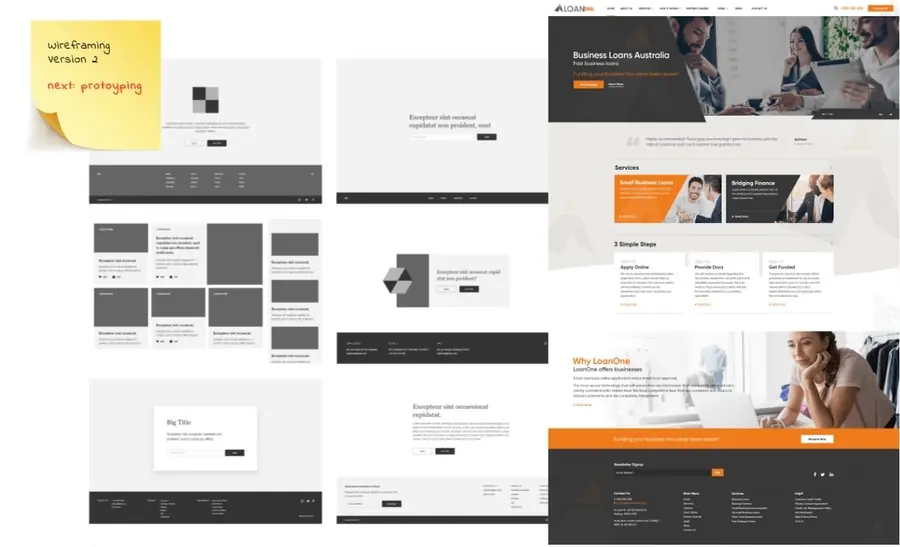
A CRM should represent the real path from enquiry to outcome, including qualification, pauses, rejection and hand-off. We interview the people doing the work and compare management reporting needs with the information the team can realistically maintain.
Fields, stages and required actions are then limited to what has a clear purpose. This improves adoption and data quality more than adding another chart.
A field-sales team, service business and B2B account team need different information and controls.
Accounts, contacts, opportunities and longer decision journeys.
Property enquiries, agents, visits, follow-ups and source tracking.
Service enquiries, areas, quotations, scheduling and repeat work.
Student enquiries, counsellors, stages, appointments and enrolment outcomes.
Consent-aware leads, appointments and service follow-up within scope.
Dealers, territories, visits, quotations and order hand-offs.
Campaign sources, qualification, nurture and accountable conversion.
Customer issues, assignments, status, history and escalation.
Mobile activities, location-aware work and manager visibility.
Controlled hand-offs across sales, operations, finance and support.
Useful software connects customer or team journeys with reliable data, integrations and operating responsibilities.
Sources, stages, ownership and outcomes mean the same thing across teams.
Fast records, follow-ups and communication context support the next action.
Dashboards answer management questions using fields the team can maintain.
A sales team loses context when website enquiries, calls, messages, quotations and invoices live in unrelated tools. Supported integrations can bring key events into one customer timeline without copying every piece of data everywhere.
We define the source of truth, permissions and failure behaviour for each connection. Automation remains visible and reversible where business consequences matter.
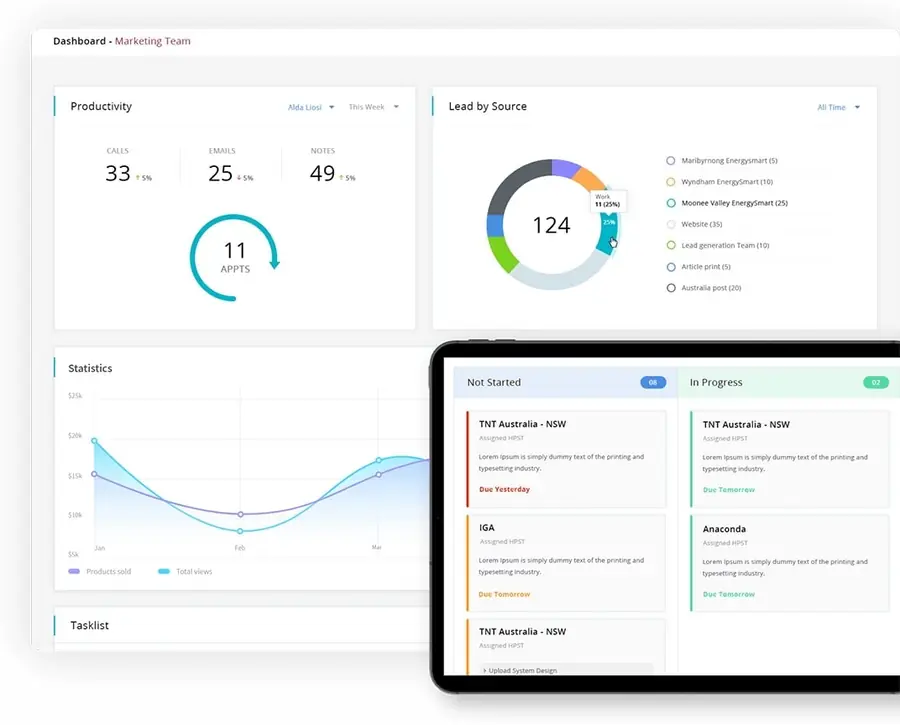
Salespeople need quick context: who the customer is, what happened, what is due and what can move the opportunity forward. Record pages and lists prioritize those decisions over decorative reporting.
Managers receive views of pipeline health, inactivity and outcomes while access remains appropriate to team structure and customer sensitivity.
Existing contacts and opportunities often contain duplicates, inconsistent stages and missing ownership. Migration starts with mapping and cleanup rules rather than importing every historic problem.
Pilot users validate the process before broader rollout. Training, permissions, monitoring and support routes are prepared so adoption continues after launch.
Quality is evaluated on real journeys and operating conditions—not only an ideal product demonstration.
The interface reduces unnecessary entry and supports daily actions.
Customer and commercial information follows role responsibilities.
Required fields, duplicates and ownership are governed deliberately.
Metrics connect to clear sales and management questions.
Each stage produces something reviewable before the next layer of work begins.
Clarify users, business rules, constraints, integrations and the smallest valuable release.
Map journeys, data, roles and technical boundaries before committing to detailed screens or code.
Design reviewable interfaces around real tasks, edge cases, accessibility and device behaviour.
Build in reviewable increments with version control, demonstrations and visible acceptance criteria.
Test critical journeys, integrations, permissions, performance and release readiness against the agreed scope.
Monitor the live product, resolve defects and prioritize improvements using support and usage evidence.
Our portfolio includes digital delivery for organizations such as Gurjar Pragati Manch, Kisaan Jee and Tera Ghar. Relevant work lets us discuss information architecture, responsive journeys, content workflows and technical implementation through specific decisions.
During a consultation, we explain our role, the constraints involved and how comparable decisions may apply to your product. For broader engineering requirements, Chulbul Design can also collaborate with SoftLes as a technology partner.
Review Selected WorkWe do not assume custom CRM is always the answer. Discovery compares the cost of configuring an established product with the value and ownership of a purpose-built system.
When custom development is justified, sales users and managers review the process and prototypes together. That helps the delivered CRM support adoption as well as reporting.
A useful estimate must be connected to users, journeys, data, integrations and release responsibility. We review these factors before recommending technology or committing to milestones.
After discovery, the written scope separates included work, dependencies and later opportunities. This is more dependable than a low starting price that omits the operational parts of the product.
Request a Scope DiscussionProduct scopeThe number of user journeys, screens, modules and business rules defines the core delivery effort.
Roles and permissionsCustomer, staff, manager, partner and administrator roles require different access and testing.
Backend and dataData relationships, reporting, search, audit history and migration affect architecture and implementation.
IntegrationsPayments, messaging, maps, identity, CRM, ERP and third-party APIs introduce separate dependencies.
Quality requirementsSecurity, accessibility, offline use, device support and performance targets shape engineering depth.
Release and supportStore submission, infrastructure, monitoring, training and post-launch ownership influence total cost.
Move between the broader hub and service-specific guidance without repeating the same search intent.
Clear answers to common scope, technology, integration, release and cost questions.
Ask a project-specific questionIt is the design and development of customer and sales software around a specific organization’s lead sources, stages, roles, communication, documents and reporting.
Cost depends on users, pipelines, automation, integrations, migration, mobile access, documents and reporting. Discovery produces a scope-based estimate.
Configuration is often better for standard sales processes. Custom development makes sense when workflows, integration costs, ownership or user experience create a clear long-term advantage.
Yes. Leads can enter with source data through forms, supported APIs or imports, followed by routing and accountable follow-up.
Supported WhatsApp Business Platform workflows may be integrated subject to Meta access, templates, consent and account requirements. We do not rely on unofficial automation.
Quotation workflows and documents can be included. Invoicing may be built or integrated with finance software depending on accounting and compliance requirements.
Yes. We map fields, ownership, stages, duplicates and validation before a pilot and final migration.
Yes. The scope may include a responsive web interface or a dedicated mobile app depending on field conditions and device needs.
Access is designed around roles, teams, territories and sensitive fields. Administrative and audit requirements are agreed during discovery.
Yes. Support can include monitoring, defect resolution, integration changes, security updates and planned improvements.
Compare local website packages, ecommerce deliverables and transparent starter pricing in our top client cities, or view all 52 cities we serve.
Share your lead sources, stages, follow-up process and current tools. We will help identify whether configuration, integration or custom CRM development is the right fit.


